Mobile Hot Wallet
- Protects against
- The exchange failing, freezing, or losing your account.
- Trade-off
- Your keys sit on an internet-connected, general-purpose device.
- Advantages
- Fast to start, inexpensive, and useful for learning with smaller amounts.
Create a wallet, back it up, prove you can recover it, and only then receive bitcoin.
Self custody means one specific thing: the secret that authorises spending your bitcoin exists only where you put it. No company holds a copy — which is why no company can freeze it, lose it in a bankruptcy, or hand it over on request, and why nobody can help you if you destroy it. Both halves of that sentence are the job.
This is the foundation article for everything else on this site. It assumes nothing except that you have bought some bitcoin, or are about to. It is longer than a checklist because a checklist is easy to follow, and easy to follow into a hole — the reasoning underneath each step is what tells you what to do when the screen in front of you does not match the instructions.
There is a version of this that takes an afternoon and a version that takes six months. The difference is not intelligence or technical skill. It is whether you moved money before you understood what you were doing with it.

Strip away the hardware and the vocabulary and a bitcoin wallet is one enormous random number, plus software that knows what to do with it. That number is called the seed, and it is written out as twelve or twenty-four ordinary English words so that a human being can copy it down without making a mistake. Every key, every address, and every signature your wallet will ever produce is derived from it, in a fixed and publicly documented order.
Three consequences follow, and between them they set the shape of everything below.
So the four stages below are not four chores to get through. They are one idea, taken in order: make that number well, record it durably, prove the record works, and only then put money behind it.
The rule that makes it work: do not move on until you can explain the outcome of the current stage in your own words. Not recite it — explain it, to yourself, without looking. Every expensive mistake in bitcoin custody is someone who skipped that check because they were nearly sure.
This stage has four parts, and only the first is about shopping. Begin with the simplest setup that fits what you are protecting: complexity can come later, once you have proven you can operate and recover a basic wallet.
People stall here for weeks comparing devices, which is a strange place to stall — the whole time, the bitcoin is sitting on an exchange, which is the one option they had already decided against. The choice is not really between products. It is between shapes: how many keys, on what kind of hardware, in how many places.
Most people should start with the simplest suitable option and move through them slowly over years — not pick the most complex one because it sounds the most secure. Multisig removes the single point of failure, which is real and valuable. It also multiplies the number of things you must back up, and adds a new category of loss: a setup that nobody, including you, can actually restore. Reach for it after you have demonstrated you can recover a simple wallet, not before.
Dedicated signing hardware is the recommendation on most of this site, and for good reason: it keeps the key away from the machine that reads your email. But it is a recommendation, not an entry requirement, and treating it as one keeps people custodial for another year while they save up and read reviews. There are several honest routes in.
None of these is the wrong answer. The wrong answer is leaving the coins on an exchange for another eighteen months while you decide.
Running your own node means you verify the rules yourself instead of asking somebody else's server what your balance is, and Bitcoin Core includes a perfectly usable wallet. Two things to know before you pick it. Its keys sit on the computer, so it is a hot wallet unless you pair it with a signing device. And it does not hand you twelve words. A Core wallet is described by a descriptor containing an extended private key, and the backup is a file rather than a phrase. That is a good backup, but it is not the one the rest of this page describes, and it restores into other descriptor-aware software rather than by typing words into a device. What a Core wallet actually holds goes through that properly, including how to give Core a wallet derived from a seed you do hold. Many people run Core as their node and keep the keys elsewhere, which is the best of both.
Choosing your first setup Compare hardware Compare wallet software
Whatever you chose above, the moment that decides the security of the whole wallet is a few seconds long and almost invisible: the device offers to generate the seed for you, you press yes, and twelve words appear.
That step is the one part of the process you cannot check. A random number generator is a black box by construction. Good randomness and bad randomness look identical from the outside — there is no test you can run on twelve words to find out whether they came from a well-seeded generator, a subtly broken one, or a list somebody prepared in advance. If the number is weak or known, nothing you do afterwards helps. The backup is perfect, the recovery test passes, and the coins leave anyway.
The fix is not to suspect a particular manufacturer. It is to remove the question from the table: supply the randomness yourself, from something physical you can watch. Do that and the quality of the device's generator stops mattering, because it is no longer the thing deciding your wallet.

Most serious signing devices accept this directly. You roll, you type the results in, and the device hashes what you gave it into a seed — and the better implementations mix your rolls with their own entropy, so you are never worse off than if you had let it choose. Ninety-nine rolls of an ordinary six-sided die produce a full-strength twenty-four-word seed.
Dice are the common route, not the only one:
Roll the dice: generating your own entropy
Whichever way you make the number, there is one thing worth knowing before you start: there is no standard for turning rolls into words. COLDCARD, SeedSigner and Krux hash the digits; Keystone rewrites every 6 to a 0 first and wants 100 rolls; BlueWallet packs bits without hashing at all. The same rolls produce unrelated wallets on different devices, which is why the recovery words are the backup and the column of rolls in your notebook is not. If you want to see that for yourself, Entropy Workshop converts a set of test rolls and shows you the wallet they land on.
Worth ninety seconds, because it explains several things that otherwise look arbitrary. The twelve or twenty-four words come from a standard called BIP39, which maps a random number onto a fixed list of 2,048 English words. Each word therefore carries eleven bits. Twenty-four words is 264 bits: 256 bits of actual seed plus an eight-bit checksum. Twelve words is 132 bits: 128 of seed plus four of checksum.
That checksum is quietly one of the most useful things in the design. Copy a word down wrong and the phrase is usually rejected outright, rather than silently opening a different, empty wallet and leaving you to work out what happened.
From the seed, your wallet derives a master private key — written out as an xprv — and a matching master public key, the xpub. Every key in the wallet hangs off that root, addressed by a derivation path, which is why one backup can restore an unlimited number of addresses. It is also why the next section matters.
BIP39 is the most common format, not the only one. Bitcoin Core backs up a descriptor with an xprv in it. Some Trezor models offer SLIP39 Shamir shares instead of a single phrase. Electrum has a seed format of its own. Words written under one scheme will not restore under another, so record which wallet produced them. The formats, the extended-key types, and the derivation paths behind them deserve an article of their own — for now, keys, addresses and UTXOs covers the model and how a wallet finds your coins covers the branch problem.
A signing device is deliberately stupid. It has a small screen, no idea what the current block height is, and no way to look anything up. On its own it can tell you almost nothing about your money.
The wallet software is the other half. It watches the blockchain, finds every payment made to you, adds them up, keeps labels and history, estimates fees, and builds the transactions your device will sign. You want it even for a wallet you intend never to touch — a balance you cannot see is a balance you will start checking on a block explorer instead, which is worse for your privacy and worse for your nerves.
What you give it is not the seed. It is the xpub: one long line of text from which the software can derive every address the wallet will ever use, watch for payments to all of them, and show you the result — with no ability whatsoever to move a single satoshi. This is called a watch-only wallet.
A vault with a glass front. You can count what is inside, watch deposits land, and hand out deposit slots all day. Opening it takes the key, and the key is in your other hand.
One secret, two halves
What stays on the device, and what is safe to hand your phone
Spending produces a signature, not a key. The signature proves the key exists without revealing it, so the secret never reaches your laptop or the network.
Wallet software derives every address, watches the chain, and shows your balance, history, and a fresh receiving address whenever you need one.
The seed derives private keys that remain on the signing device and can spend, plus public keys that wallet software can use to watch every address without spending. Sharing the xpub is a permanent privacy exposure.
When you do want to spend, the two halves work together and the seed still never travels: the software builds an unsigned transaction — a PSBT — the device displays it, you approve it on the device's own screen, and the software broadcasts the signed result. Sparrow is the usual desktop answer; BlueWallet, Cove and Nunchuk do the same job from a phone.
One thing to be clear-eyed about: your xpub is not a spending risk, but it is not nothing either. Anyone holding it sees every address you will ever use and every payment you ever receive, forever. Treat it as private information rather than as a public identifier.
Outcome: you have created a new, empty wallet whose seed you know the origin of, and you can see it from software without being able to spend from that software.
Your recovery words are the only truly irreplaceable part of the setup. The device can be replaced with an identical one, or a different brand entirely. The software can be reinstalled. The words cannot be reissued by anybody, at any price. Everything in this stage is worth doing slowly.

The awkward property of backups is that the situations which make you reach for one are the same situations that destroy paper. A card in a drawer is a perfectly good backup right up until the house is on fire, under water, or being emptied by somebody else.
And paper does not need a disaster to fail. Ink fades in a warm drawer. Damp and mould get into a basement or a garage. A burst pipe two floors up reaches it. Somebody helping you move house sees an unlabelled card of random words and throws it out. None of these announce themselves — you find out at the moment you go looking.
A stamped stainless steel plate closes most of that gap in about an hour. Common stainless steels melt far above the temperatures a house fire reaches, and steel does not care about water, damp, or thirty years in a box. Titanium is higher still. Avoid aluminium, which ordinary structure fires can exceed.
Two things metal is not. It is not theft protection — a plate is exactly as readable to whoever finds it as the paper was, and rather more durable in their hands. And it is not an excuse to keep only one copy. Durability and secrecy are separate problems, and location is still the whole of your defence on the second one.
Every word in the BIP39 list is uniquely identified by its first four letters — no two words share them. A plate recording ABAN is exactly as complete as one recording ABANDON. Four characters per word roughly halves both the stamping and the number of chances to mis-strike. The 103 words shorter than four letters are written in full, and the shortcut applies to BIP39 wordlists only.
The words restore the keys. Finding the coins also needs to know which branch of the key tree to walk down, and a wallet restored a decade from now — or set up with anything other than the current default — may not guess correctly. Keep a short, separate note recording:
None of that is secret on its own, and none of it can spend anything. It is the difference between a restore that works and a restore that shows a balance of zero and no explanation.
A BIP39 passphrase is an extra word or sentence added on top of the seed. It is not a password on your wallet — it is a switch that selects a different wallet entirely. Every possible passphrase is valid, so a forgotten or mistyped one does not lock you out with an error: it silently opens a different, empty wallet, and there is no message telling you which case you are in. That is genuinely useful, because a found backup without the passphrase reaches nothing. It is also a second irreplaceable secret, and it deserves its own article rather than a footnote here. Do not add one during your first setup. BIP39 passphrases, and when not to use one is the full treatment.
Outcome: the words exist somewhere durable and offline, the device and the backup are not in the same place, and you have recorded the handful of non-secret details a future restore will need.
A backup you have never tested is not a backup. It is an assumption — and if you never test it deliberately, the test still happens, at a moment you did not choose.
Most advice stops at "follow the manufacturer's instructions", which is not enough, because the device is not the thing under test. The card on your table is the thing under test. A real recovery drill starts from those words and nothing else, and finishes with a specific value you can compare.
Before you touch anything, write down two things from the wallet you already have:
Neither is secret, and neither can spend anything. Without one of them the drill has no pass condition, and "it seemed to restore fine" is not a result.
All three prove something. They differ entirely in what happens if the backup turns out to be wrong.
A second device, wiped. The most thorough version and the safest one. Take any compatible signing device — a spare, a second unit, a borrowed one you will wipe afterwards — reset it, and enter the words from your card. Only from the card. Then compare the fingerprint and the first address. If they match, your handwriting reproduces the wallet, and your original device was never touched. Wipe the second device again when you are done: a spare quietly holding a live copy of your seed is a new problem, not a spare.
The device's built-in backup check. Most devices offer one, called something like verify backup, dry-run recovery, or seed check. You type the words back in and the device compares them against the seed it already holds, without erasing anything. It is fast, completely safe, and it will tell you plainly if a word is wrong. Its limit is worth knowing: it proves the words match this device's seed. It does not prove they rebuild the wallet anywhere else, and it will not catch a wrong derivation path or a passphrase you have misremembered.
Wipe your only device and restore from the card. This is the real thing — the full chain, end to end, with nothing held in reserve. It is also the one method that turns a bad backup into an immediate and permanent loss. There is exactly one safe moment for it, and it is now, while the wallet is empty. Reset the device to factory settings, enter the words, and watch the same wallet reappear. Done today it costs you twenty minutes. Done after the wallet has a balance, you are betting that balance on your own handwriting.
That last point is the entire reason this stage sits before stage four rather than after it. Prefer a second device if you have one, the built-in check if you do not, and the full wipe-and-restore while there is still nothing to lose.
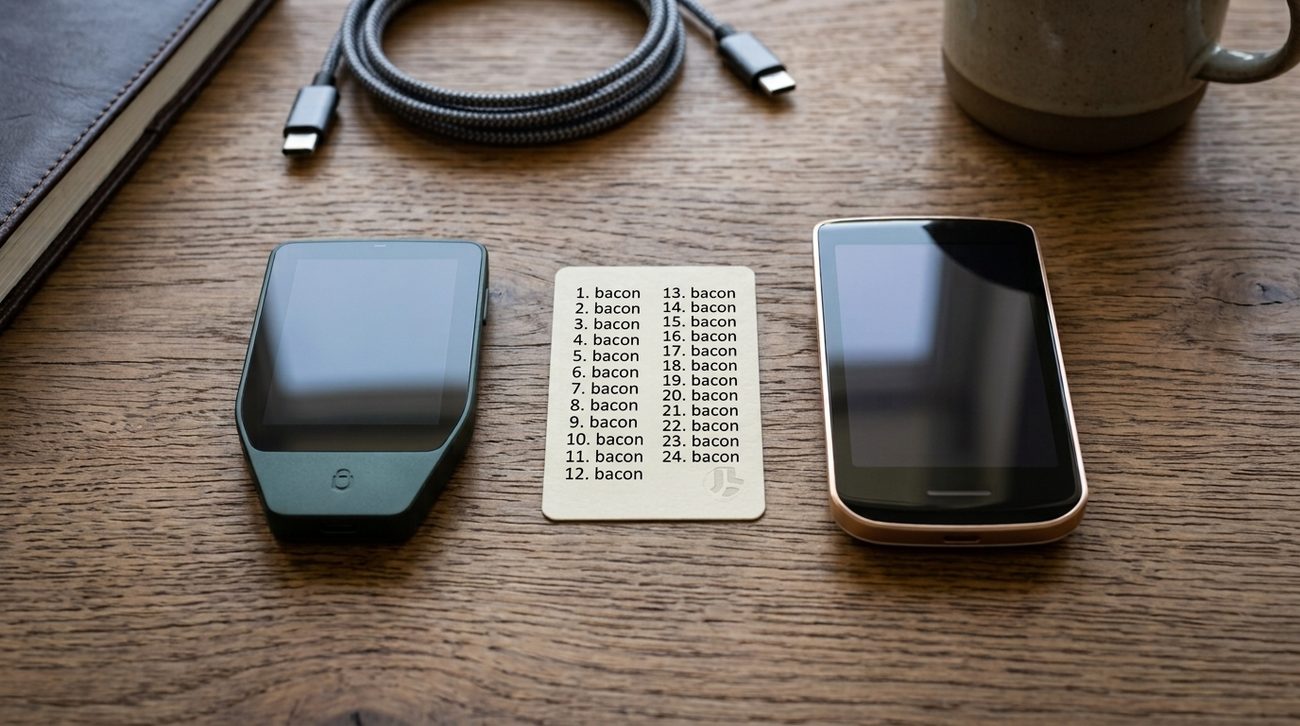
Outcome: you have rebuilt this wallet from the backup alone and confirmed it produced the same fingerprint and the same first address.
Your wallet exists, its backup is protected, and recovery has been proven. Now check the receiving path with an amount that does not matter. Treat this as a test, not a transfer.
The reason for checking the address on the device rather than the computer is specific rather than superstitious. Malware that swaps a bitcoin address on the clipboard is common, cheap, and entirely automated — you copy your address, and something else pastes. The device screen is drawn by the device itself, so an address that matches on both was not swapped in transit.
Once the test amount lands, send some of it back out again. Receiving proves the address. Spending proves the whole loop: that the device signs, that you can approve it, and that the software broadcasts. That is the point at which the wallet is genuinely working rather than merely populated.
Withdraw from an exchange Send a test transaction
Outcome: a small amount of bitcoin has arrived in a wallet you created, backed up, and proved you can recover — and you have moved some of it out again.
One per stage. They are not trick questions, but they are not giveaways either — each one is a place where the intuitive answer is the expensive one.
Your hardware wallet arrives sealed, and inside the box is a card with twelve words already filled in and a note calling it your recovery phrase. What is it?
Why: No legitimate manufacturer ships a seed. Whoever printed that card can spend from it the moment you fund it, and the third option is worse than it looks — it keeps a seed somebody else knows at the root of your wallet, and now your entire security rests on one passphrase you also have to back up.
The device's own random number generator is almost certainly fine. So what does rolling ninety-nine dice actually buy you?
Why: A 24-word seed is 256 bits either way — quantity is not the issue. The issue is that a weak or rigged generator produces output indistinguishable from a good one, and no test on the finished words can separate them. Supplying the number yourself removes the only step in the process you were taking on faith.
You imported your cold wallet's xpub into a phone app to watch the balance. Someone takes the phone, unlocked. What can they do?
Why: Derivation runs one way: the xpub yields public keys and addresses, never the private keys, so spending is impossible without a signature from the device. What they get instead is complete and permanent visibility of your finances. That is a privacy loss rather than a theft, which is exactly why an xpub should be treated as private rather than published.
Which of these actually proves your written backup works?
Why: The first is proofreading and the third is redundancy — both worth doing, and neither is a test. Only the second one starts from the backup alone and ends with a value you can compare, which is the definition of a test. Two copies of a wrong phrase is still nothing.
Your wallet software shows a receive address. Why bother comparing it against the hardware wallet's own screen?
Why: The computer is the part of the setup you cannot vouch for, and clipboard-swapping malware is cheap and fully automated. The device's screen is drawn by the device itself, so matching the two is the one check that catches a substitution — and it is per-address, every time, not once at setup.
You now have a working wallet and a small test balance. Before moving an amount you would not want to lose, learn what the wallet is actually controlling.
A bitcoin wallet does not hold coins the way a physical wallet holds notes. It holds the keys that authorise transactions. The bitcoin itself remains recorded on the network as individual spendable outputs.
These four stages describe what to do. What not to normalize describes the ordinary habits that quietly undo them, and it is worth reading before you move an amount you would miss.