What not to normalize
Six habits that look harmless, are extremely common, and are the reason most self-custody losses happen. None of them involve being hacked.
Almost nobody loses bitcoin to cryptography. The maths holds. What people lose it to is a shortcut that worked the first fifty times, taken by someone who had every intention of being careful.
Each of the six habits below is normal enough that you will find people recommending it. Each one has a specific, well-documented way of taking everything. None of them require you to be hacked, targeted, or unlucky — only to be slightly busy on the wrong afternoon.
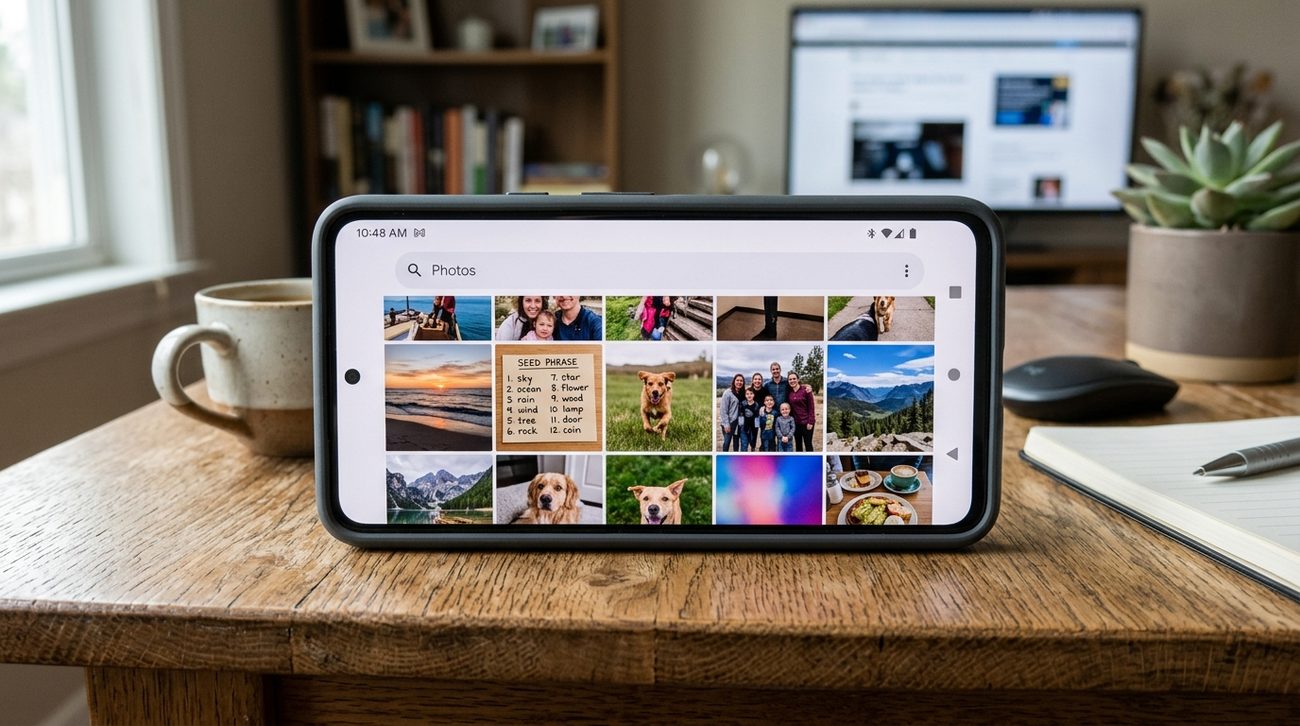
1Keeping a digital copy of your recovery words
This is the single most common cause of loss, and it almost never feels like a risk at the time. A photo of your seed card is not a backup. It is an extra copy, sitting on a device built to make your files easy to retrieve — by you, and by anyone who reaches your account.
The copies also multiply without you deciding anything. Photos sync to the cloud, often before you have finished putting the pen down. Notes apps back up to the same account as your email, which is the account that resets all your other passwords. Printers keep spooled documents, and shared printers keep them somewhere you do not control. Ordinary password managers are built for credentials you can rotate; recovery words cannot be rotated.
Deleting the photo afterwards does not undo it. It does not delete the sync history, the cloud backup, or the copy still sitting on the phone you traded in two years ago.
One compromised email account can be enough to reach every copy at once.
Instead: write the words by hand, keep them offline, and treat a metal backup as the upgrade — not a second digital copy.
2Using recovery words that came with the device
A legitimate device generates its seed during your setup, on the device, in front of you. If words arrive pre-printed on a card in the box, on a scratch panel, or in a leaflet, somebody else already has them and is waiting for you to fund the wallet.
The setup process should ask you to write words down and then quiz you on them. You should never be asked to enter words supplied by the manufacturer, the seller, or a support agent. A device that arrives already initialised, already holding a wallet, or already showing a PIN has been tampered with, and there are no innocent explanations worth gambling on.
Buy from the maker where you can
Second-hand devices, marketplace listings, and unauthorised resellers are the usual delivery route for this attack. The saving is never worth it.
3Verifying an address only on your computer
Clipboard-swapping malware watches for anything shaped like a bitcoin address and quietly replaces it with the attacker's. The website shows the right address. Your wallet shows the right address. The money goes somewhere else.
The screen on your hardware device exists precisely to break this, because it is the one display an infected computer cannot rewrite. Using it is the entire reason you bought the thing.
- Display every receiving address on the hardware device before you share it.
- Check the whole string, not just the first four and last four characters — attackers generate lookalikes that match at both ends.
- Review the recipient and the amount on the device before approving a send, not only in the software.
- Prefer QR transfer over copy and paste where both ends support it.
4Skipping the test send
Moving your whole balance on the first attempt removes every chance to catch a mistake while it is still cheap. A small test exercises the entire path at once: the address, the withdrawal screen, the fees, the waiting, and your own wallet correctly showing the result at the other end.
Send an amount you would shrug at losing. Wait for it to confirm and appear in your own wallet before sending more — sending a test transaction walks the whole loop, including what to do when it does not turn up. Then do it again after any change — a new device, new wallet software, a different address type, a restored backup. Bitcoin transactions do not reverse, and no support desk anywhere can recall one.
Split screen: a wallet's send confirmation on a laptop beside a hardware wallet screen showing the same address, with a finger pointing at the matching characters.
Image to come
5Building complexity you have never recovered from
Multisig, passphrases, split backups, decoy wallets — every one of them adds a way to protect your funds. Every one of them also adds a way to lose your funds permanently. The second effect arrives immediately; the first only matters if you are actually attacked.
A simple setup you have restored beats an elaborate one you have not. Rehearse recovery before the setup holds meaningful value, and again after any change. Back up the wallet configuration — the descriptor, the multisig policy — and not just the keys, because keys alone will not rebuild a multisig. And ask honestly who else could complete the recovery if you could not, and whether they have what they would need.
Earn the complexity
Add one layer. Test it. Live with it for a while. Then decide whether the next layer is genuinely worth the recovery burden it brings with it.
6Answering anyone who asks about your words
No manufacturer, exchange, wallet developer, support agent, or forum moderator will ever need your recovery words, private keys, PIN, or passphrase. The request itself is the attack, regardless of what else appears to be true about who is asking.
Support that contacts you first is the wrong way round — you contact them, through an address you typed yourself. Wallet-validation pages, migration tools, and airdrop claims that ask for a seed are theft without exception. And urgency is the tell: real problems survive you slowing down to check.
- Impersonation extends to phone calls, video calls, and people who already know your name and roughly what you own.
- If you have entered your words anywhere at all, treat that wallet as compromised and move the funds to a freshly generated one.
The pattern underneath all six
None of these are technical failures. Every one is a moment where the careful path was slightly slower than the convenient one, and the convenient one appeared to work.
That is what makes them worth naming in advance. You will not be at your most sceptical the day one of these turns up — you will be tired, or in a hurry, or halfway through something else. The decision is much easier if you have already made it.